How to Remove Toxic Backlinks That Are Hurting Your SEO
Discover how to identify and remove toxic backlinks that damage your rankings. Learn step-by-step disavow strategies to protect your website from bad links.

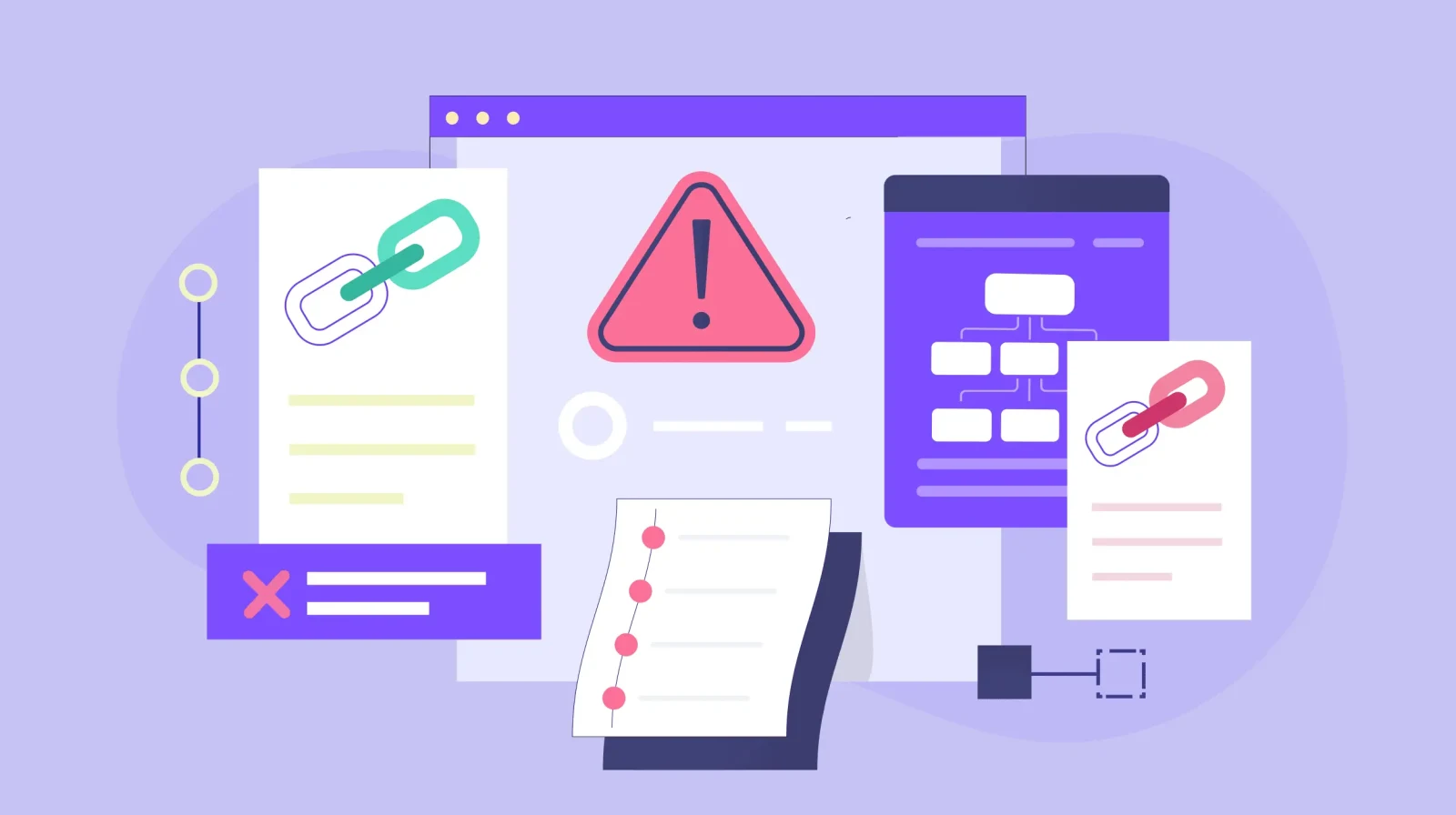
A single toxic backlink can undo months of SEO work. While quality backlinks boost your rankings, low-quality or spammy links actively harm your website's authority and can trigger Google penalties that devastate your organic traffic.
The challenge? Most website owners don't realize they have toxic backlinks until damage is done. These harmful links accumulate from competitor sabotage (negative SEO), outdated link building practices, compromised websites, or automated spam bots that link to your site without permission.
According to recent data from SEMrush, over 60% of websites have at least some toxic backlinks in their link profile, with approximately 8-12% of backlinks being potentially harmful. The good news is that toxic backlinks are fixable—if you know how to identify and remove them properly.
In this comprehensive guide, you'll learn exactly how to audit your backlink profile, identify toxic links, attempt manual removal, and use Google's Disavow Tool when necessary. Whether you're recovering from a penalty or proactively protecting your site, these strategies will help you maintain a clean, healthy backlink profile that supports long-term SEO success.
What Are Toxic Backlinks?
Toxic backlinks (also called bad backlinks, spammy backlinks, or harmful backlinks) are incoming links from low-quality, irrelevant, or manipulative websites that negatively impact your search engine rankings and can trigger Google penalties.
Characteristics of Toxic Backlinks
Not all low-quality links are toxic, but these red flags indicate serious problems:
- Spammy websites: Links from known spam sites, link farms, or private blog networks (PBNs)
- Irrelevant niches: Links from completely unrelated industries (e.g., casino links to a healthcare site)
- Low domain authority: Links from sites with very low trust metrics and authority scores
- Over-optimized anchor text: Excessive exact-match keyword anchors that look manipulative
- Automated comment spam: Links in blog comment sections with generic text like "great post!"
- Hacked websites: Links from compromised sites hosting malware or spam content
- Link schemes: Participation in reciprocal linking networks or paid link schemes
- Foreign language spam: Links from foreign language sites with no relevance to your content
- Adult or illegal content: Links from pornography, gambling, or illegal substance sites
Why Toxic Backlinks Harm Your SEO
Google's algorithms, particularly the Penguin update and its successors, actively penalize websites with unnatural link profiles:
- Ranking penalties: Sites with toxic backlinks can drop 20-50+ positions for target keywords
- Manual actions: Severe cases trigger manual penalties from Google's webspam team
- Lost trust: Poor link neighborhoods damage your site's overall trustworthiness
- Wasted crawl budget: Search engines waste resources crawling spam links to your site
- Association damage: Being linked from penalized sites can harm your reputation
The impact isn't theoretical. Studies show that sites actively managing toxic backlinks see an average ranking improvement of 15-30% within 3-6 months after cleanup.
Toxic vs. Low-Quality vs. Neutral Backlinks
Understanding the difference helps prioritize your efforts:
| Link Type | Characteristics | Action Needed |
| Toxic | From spam sites, link farms, hacked sites, or manipulative schemes | Remove or disavow immediately |
| Low-Quality | From weak sites with low authority but no spam signals | Monitor; disavow if excessive |
| Neutral | From irrelevant but legitimate sites | Generally safe; no action needed |
| Quality | From authoritative, relevant sites with natural context | Protect and nurture |
How Websites Get Toxic Backlinks
Understanding how toxic backlinks appear helps prevent future problems:
Negative SEO Attacks
Competitors intentionally build spammy links to your site to harm your rankings. While Google claims to handle most negative SEO automatically, severe attacks can still cause damage. Common negative SEO tactics include:
- Bulk purchases of spammy directory links
- Forum and blog comment spam campaigns
- Links from hacked websites
- Links from adult or illegal content sites
- Automated link building pointing to your site
Outdated Link Building Practices
SEO tactics that worked 5-10 years ago now qualify as spam:
- Article directory submissions to low-quality sites
- Automated blog commenting
- Link wheels and link pyramids
- Reciprocal link exchanges
- Paid links without proper nofollow attributes
- Low-quality guest posting on spam blogs
If you hired an SEO agency years ago that used these tactics, your site might still have toxic backlinks from that period.
Compromised Partner Sites
Legitimate websites linking to you can become toxic if:
- They get hacked and start hosting spam content
- They transition into different niches (legitimate blog → spam site)
- They start participating in link schemes
- Their content quality severely deteriorates
Automated Spam Bots
Automated bots scrape websites and create spam links without your knowledge or consent. These appear in:
- Forum signatures
- Blog comments
- Low-quality directories
- Scraper sites that copy content
- Random spam pages
User-Generated Content Platforms
Sites where users can create profiles or content sometimes become toxic link sources:
- Social bookmarking sites gone spam
- Forum profiles with link spam
- Q&A sites with spam answers
- Wiki sites allowing link spam
How to Identify Toxic Backlinks
Systematic backlink analysis is essential for finding harmful links before they cause serious damage:
Step 1: Export Your Complete Backlink Profile
Use multiple tools for comprehensive coverage—no single tool finds all backlinks:
Primary Tools:
- Google Search Console: Free, shows links Google actually sees
- Ahrefs: Most comprehensive commercial backlink database
- SEMrush: Strong backlink analysis with toxicity scoring
- Moz Link Explorer: Good for domain authority metrics
- Majestic SEO: Provides Trust Flow and Citation Flow metrics
Process:
- Log into each tool
- Enter your domain
- Export all backlinks to CSV files
- Combine data, removing duplicates
- Sort by referring domain
You'll likely find 30-50% more backlinks by combining multiple sources than relying on any single tool.
Step 2: Use Automated Toxicity Scoring
Let algorithms flag potential problems as a starting point:
- SEMrush Backlink Audit: Automatically scores links as toxic, potentially toxic, or healthy
- Ahrefs: Filter by Domain Rating and organic traffic to find suspicious sites
- Monitor Backlinks: Provides risk scores for each backlink
- Link Detox: Specialized tool for identifying toxic links
Important: Don't blindly trust automated scores. These tools produce false positives. Use scores as flags requiring manual review, not final verdicts.
Step 3: Manual Review of Flagged Links
Examine suspicious links manually using these criteria:
Domain Quality Checks:
- Visit the linking website directly
- Assess overall content quality and professionalism
- Check if the site has been hacked or compromised
- Look for excessive ads, pop-ups, or malware warnings
- Verify the site isn't a known spam source
Link Context Analysis:
- Review the actual page linking to you
- Check if your link is in genuine content or a spam section
- Assess whether the link is contextually relevant
- Look for signs of automated generation
- Verify the link isn't from a site-wide footer or sidebar
Anchor Text Evaluation:
- Check for over-optimized, keyword-stuffed anchors
- Look for patterns suggesting manipulation
- Identify unnatural exact-match anchor distribution
- Flag foreign language anchors on English sites
Traffic and Engagement Signals:
- Use SimilarWeb or Ahrefs to check site traffic
- Zero traffic often indicates abandoned or spam sites
- Check social media presence and engagement
- Look for signs of real human activity
Step 4: Check for Google Penalties
Verify if toxic backlinks have already caused damage:
Google Search Console:
- Go to Security & Manual Actions > Manual Actions
- Check for any active penalties
- Review the "Security issues" section
- Look at "Core Web Vitals" for any issues
Ranking Analysis:
- Track keyword positions over time using tools like Ahrefs or SEMrush
- Look for sudden ranking drops corresponding to Penguin updates
- Compare rankings to historical baseline
Traffic Analysis:
- Check Google Analytics for traffic drops
- Filter by organic search traffic specifically
- Look for sudden declines without obvious explanation
How to Remove Toxic Backlinks Manually
Before using the Disavow Tool, attempt manual removal. This is Google's preferred approach and shows good faith effort:
Step 1: Find Contact Information
For each toxic backlink, locate website owner contact details:
- Check the website's contact page or about page
- Look for email addresses in WHOIS records (use WhoisXML or similar)
- Search for the site owner on LinkedIn or social media
- Check domain registration information
- Look for contact forms if no direct email is available
Create a spreadsheet tracking:
- Toxic backlink URL
- Referring domain
- Contact email/form
- Date contacted
- Response received
- Link removal status
Step 2: Send Professional Removal Requests
Craft polite, professional emails requesting link removal:
Email Template:
Subject: Link Removal Request from [YourDomain.com]
Hello,
I noticed that your website [TheirDomain.com] has a link pointing to my website [YourDomain.com] on this page:
[Full URL of the page with the link]
The specific link is:
[Exact link URL]
I'm conducting a backlink audit and would appreciate if you could remove this link, as it was created without my knowledge and doesn't align with current SEO best practices.
If you have any questions or if there's a specific process for link removal, please let me know.
Thank you for your time and cooperation.
Best regards,
[Your Name]
[Your Website]
Key Points:
- Keep emails brief and professional
- Don't accuse them of spam or wrongdoing
- Don't explain the link is "toxic" or "hurting your SEO"
- Simply request removal without lengthy explanation
- Include all necessary information (exact URLs)
Step 3: Follow Up Strategically
Many removal requests go unanswered. Implement a follow-up strategy:
- Wait 7-10 days before first follow-up
- Send maximum 2 follow-ups per contact
- Try alternative contact methods if email fails
- Document all communication attempts
- Note unresponsive sites for disavow file
Step 4: Document Removal Efforts
Keep detailed records for potential manual penalty reconsideration requests:
- Screenshots of outreach emails sent
- Dates of all communication attempts
- Any responses received
- Successfully removed links
- Links where removal was refused or ignored
This documentation proves good faith effort if you later need to submit a reconsideration request to Google.
Step 5: Monitor Removal Success
After receiving confirmation or seeing links removed:
- Verify removal using backlink checker tools
- Recheck after 2-4 weeks (links take time to drop from indexes)
- Note persistent links that require disavow action
- Track any ranking improvements following removals
Expect only 10-30% success rate with manual removal requests. Most toxic link sources ignore removal requests, making the disavow tool necessary.
How to Use Google's Disavow Tool Properly
When manual removal fails, Google's Disavow Tool tells Google to ignore specific backlinks when assessing your site.
When to Use the Disavow Tool
Appropriate situations:
- After exhausting manual removal attempts
- Recovering from a Google penalty
- Experiencing ranking drops from toxic backlinks
- Victim of negative SEO attack
- Inheriting toxic backlinks from previous SEO work
When NOT to use:
- On generally low-quality but harmless links
- Without first attempting manual removal
- Based solely on automated tool recommendations
- When you're not experiencing actual ranking problems
Important: Google states that most sites don't need to use the disavow tool. Only use it if you have genuine toxic backlink problems causing measurable damage.
Creating Your Disavow File
The disavow file is a plain text (.txt) file with specific formatting:
Format Rules:
- Use plain text editor (Notepad, TextEdit)
- Save with .txt extension
- Include one URL or domain per line
- Add comments using # symbol
- Use domain-level disavow when possible
Example Disavow File:
# Toxic backlinks from spam directories
domain:spam-directory1.com
domain:spam-directory2.com
# Low-quality forum spam
http://lowqualityforum.com/thread/12345
http://lowqualityforum.com/thread/67890
# Negative SEO attack links
domain:obvious-spam-site.com
domain:another-spam-site.info
# Hacked website
domain:compromised-site.com
Best Practices:
- Disavow at domain level (domain:example.com) rather than individual URLs when the entire site is toxic
- Only disavow specific URLs when you have quality links from the same domain
- Add comments explaining categories for your own reference
- Review file carefully before uploading—mistakes can hurt rankings
Uploading to Google Search Console
Follow these steps to submit your disavow file:
- Go to Google Disavow Tool
- Select your property from Search Console
- Click "Disavow Links"
- Read the warning carefully
- Click "Choose File" and select your .txt file
- Review the preview
- Click "Submit"
After Submission:
- Google processes disavow files during the next crawl (can take weeks)
- You can upload new files anytime (they replace previous files completely)
- Keep backup copies of all disavow files
- Monitor rankings and traffic for improvements
Common Disavow Mistakes to Avoid
Critical Errors:
- Disavowing quality links accidentally: Double-check every domain
- Disavowing too aggressively: Only disavow genuinely toxic links
- Improper file formatting: Test file before submission
- Disavowing without documentation: Keep records of why you disavowed each domain
- Not updating the file: Upload updated versions as you discover new toxic links
- Disavowing your own domains: Accidentally adding your website or partners
Recovery Considerations: If you accidentally disavow quality links, upload a corrected file immediately. Google will process the new file, though it may take time for rankings to recover.
Building a Healthy Backlink Profile Going Forward
Prevention is better than cure. Implement these strategies to avoid future toxic backlink problems:
Focus on Quality Link Building
Invest in sustainable link building strategies that attract natural, high-quality backlinks:
- Create linkable assets (original research, comprehensive guides, tools)
- Develop relationships with industry publications and bloggers
- Produce shareable content that earns links naturally
- Guest post only on high-quality, relevant websites
- Pursue digital PR opportunities for authoritative media links
- Build partnerships with complementary businesses
Monitor Your Backlink Profile Regularly
Catch toxic backlinks early before they accumulate:
- Set up monthly backlink audits using Ahrefs or SEMrush
- Enable Google Search Console email alerts for manual actions
- Track referring domain growth and quality metrics
- Review new backlinks weekly using monitoring tools
- Flag suspicious links immediately for investigation
Use Nofollow Appropriately
Protect your site from potential toxicity in user-generated content:
- Add rel="nofollow" to all user-generated links (comments, forums)
- Nofollow paid partnership links (required by Google)
- Nofollow links from untrusted or low-quality sources
- Use rel="ugc" for user-generated content
- Use rel="sponsored" for paid/advertising links
Conduct Regular Link Audits
Systematic auditing prevents problems:
- Quarterly audits: Review entire backlink profile every 3 months
- Post-campaign audits: Check links after any link building campaign
- Penalty recovery audits: Deep dive if you notice ranking drops
- Pre-acquisition audits: Check backlink health before buying a domain
Maintain Detailed Records
Documentation helps track backlink health over time:
- Keep spreadsheets of all link outreach activities
- Document every disavow file you submit
- Track historical backlink metrics and trends
- Save evidence of manual removal attempts
- Record reasons for disavowing specific domains
Tools for Toxic Backlink Identification and Removal
The right tools make backlink management scalable and effective:
Comprehensive Backlink Analysis Tools
Ahrefs:
- Most extensive backlink database
- Site Explorer shows comprehensive link profile
- Filters for identifying low-quality domains
- Backlink alerts for new link monitoring
- Batch analysis for checking multiple domains
SEMrush:
- Backlink Audit tool with automated toxicity scores
- Regular monitoring and alerts
- Integration with Google Search Console data
- Historical backlink data tracking
- Disavow file generator
Moz Link Explorer:
- Spam score for quick toxicity assessment
- Domain Authority and Page Authority metrics
- Link analysis and comparison tools
- Backlink tracking and alerts
Specialized Toxicity Analysis Tools
Link Detox:
- Advanced toxic link identification
- Link Risk assessment
- Disavow file generator
- Recovery tracking after cleanup
Monitor Backlinks:
- Real-time backlink monitoring
- Risk assessment scoring
- Automated alerts for new toxic links
- Historical link data
Free Tools
Google Search Console:
- See links Google actually counts
- Free backlink data export
- Manual action notifications
- Disavow tool access
Google Disavow Tool:
- Official method to tell Google to ignore links
- Free to use
- Integrated with Search Console
Majestic SEO (Limited Free Version):
- Trust Flow and Citation Flow metrics
- Basic backlink analysis
- Site comparison tools
Most professional SEO services use a combination of paid and free tools for comprehensive backlink management.
Measuring Toxic Backlink Removal Success
Track these metrics to verify your cleanup efforts are working:
Ranking Recovery
Monitor keyword position improvements:
- Track target keywords weekly using rank tracking tools
- Compare pre-cleanup vs. post-cleanup positions
- Look for 2-6 week lag before seeing improvements
- Expect gradual recovery, not immediate jumps
- Focus on high-value commercial keywords
Success indicators: Moving from page 3 to page 1, recovering lost top 10 positions.
Organic Traffic Growth
Measure traffic changes after toxic link removal:
- Compare 60-day post-cleanup traffic to pre-cleanup baseline
- Filter for organic search traffic only
- Look for 15-40% improvements in affected pages
- Track new visitor acquisition from organic search
- Monitor conversion rates from organic traffic
Use Google Analytics 4 or your preferred analytics platform to create custom segments for toxic link cleanup tracking.
Manual Action Removal
If you had a manual penalty:
- Submit reconsideration request after cleanup
- Include documentation of removal efforts
- Explain disavow file reasoning
- Wait 1-4 weeks for Google's review
- Check Search Console for penalty lift notification
Domain Health Metrics
Track overall site authority improvements:
- Monitor Domain Rating (Ahrefs) or Domain Authority (Moz)
- Track the ratio of toxic to healthy backlinks
- Measure referring domain quality distribution
- Review spam score trends over time
- Monitor Trust Flow vs. Citation Flow (Majestic)
Backlink Profile Quality
Assess the overall health of your link profile:
- Calculate percentage of toxic links removed
- Track new quality backlinks acquired
- Monitor anchor text distribution normalization
- Review referring domain diversity
- Assess topical relevance of linking sites
Create monthly reports showing these metrics to document improvement and justify ongoing backlink management investment.
Recovery Timeline: What to Expect
Understanding realistic timelines prevents premature concern:
Week 1-2: Implementation Phase
- Manual removal requests sent
- Disavow file created and submitted
- Monitoring systems established
- Initial data collection
Expected results: None yet; changes take time to process.
Week 3-6: Google Processing
- Google crawls and processes disavow file
- Manual removal confirmations may arrive
- First signs of ranking stabilization
- Reduced penalty severity (if applicable)
Expected results: Ranking volatility as Google reassesses your site; possible small improvements.
Week 7-12: Recovery Phase
- More noticeable ranking improvements
- Organic traffic begins recovering
- Manual penalties may be lifted (if reconsideration requested)
- Domain health metrics start improving
Expected results: 15-30% improvement in affected keyword rankings; visible traffic recovery.
Month 4-6: Stabilization
- Rankings stabilize at improved positions
- Organic traffic reaches new baseline
- Domain authority metrics reflect cleanup
- Full penalty recovery (if applicable)
Expected results: 30-50% improvement over pre-cleanup performance for severely affected sites.
Important: Timelines vary based on severity of toxic backlink problems, size of backlink profile, domain age, and crawl frequency. Patient monitoring is essential.
Why Choose Sadekur Rahman for Toxic Backlink Removal?
Managing toxic backlinks requires technical expertise, strategic thinking, and meticulous attention to detail. As an experienced SEO consultant, I help businesses identify and remove harmful backlinks that damage their rankings and reputation.
Comprehensive Backlink Audits
I conduct thorough audits that identify:
- All toxic and potentially harmful backlinks
- Patterns indicating negative SEO attacks
- Outdated links from previous SEO campaigns
- Compromised websites linking to you
- Opportunities for manual removal vs. disavow
My audits combine automated tools with manual review to avoid false positives that could accidentally harm quality links.
Strategic Removal Planning
Not all toxic links require the same approach. I help you:
- Prioritize removal efforts based on toxicity severity
- Craft professional outreach campaigns for manual removal
- Create properly formatted disavow files
- Document all removal attempts for reconsideration requests
- Monitor removal success and adjust strategy
End-to-End Execution
I don't just identify problems—I solve them:
- Send manual removal requests to site owners
- Follow up on unresponsive contacts
- Create and submit disavow files to Google
- Monitor rankings and traffic during recovery
- Provide detailed reporting on cleanup progress
Ongoing Protection
Toxic backlink management isn't one-and-done:
- Monthly monitoring for new toxic links
- Proactive identification of negative SEO attacks
- Regular backlink profile health assessments
- Strategy adjustments based on algorithm updates
- Quality link building to improve overall profile health
Concerned about toxic backlinks damaging your SEO? Book a free backlink audit to identify and prioritize harmful links.
Frequently Asked Questions About Toxic Backlinks
How do I know if toxic backlinks are hurting my rankings?
Check Google Search Console for manual actions, monitor keyword rankings for unexplained drops, analyze organic traffic trends for declines, and run your backlink profile through toxicity analysis tools like SEMrush's Backlink Audit. Sudden ranking drops combined with low-quality backlinks strongly suggest toxicity issues. If your site has been stable despite some questionable links, they may not be actively harmful.
Can I just ignore toxic backlinks and let Google handle them?
Google's algorithms have improved at ignoring spam links automatically, but relying solely on algorithmic filtering is risky. Severe toxic backlink problems, negative SEO attacks, and manual penalties require active management. For minor low-quality links, Google likely ignores them already. For obvious spam or penalties, intervention is necessary.
How long does it take to see results after disavowing toxic backlinks?
Google processes disavow files during regular crawls, typically taking 2-6 weeks for initial effects and 2-6 months for full recovery. Timeline depends on crawl frequency, severity of toxicity, domain authority, and whether you had a manual penalty. Track rankings weekly but evaluate success over months, not days.
Can disavowing backlinks hurt my rankings?
Yes, if done incorrectly. Accidentally disavowing quality backlinks removes their positive ranking impact. This is why careful manual review is critical before disavowing. Only disavow links you're confident are toxic or manipulative. When in doubt, leave neutral or low-quality-but-harmless links alone. Conservative disavowing is safer than aggressive disavowing.
Protect Your SEO Investment From Toxic Backlinks
Toxic backlinks represent a persistent threat to your organic rankings and traffic. Whether you're dealing with negative SEO attacks, legacy spam from outdated tactics, or naturally accumulated low-quality links, proactive management is essential for protecting your SEO investment.
The good news? With systematic auditing, strategic removal efforts, and proper use of Google's Disavow Tool, you can clean up even severely compromised backlink profiles and recover lost rankings. The key is taking action before toxic backlinks trigger penalties or cause irreversible damage.
Start with these immediate actions:
- Export your complete backlink profile from Google Search Console and Ahrefs
- Run automated toxicity analysis using SEMrush or similar tools
- Manually review flagged links to verify genuine toxicity
- Send removal requests to the most obvious toxic domains
- Document all efforts for potential future reconsideration requests
Don't have time to manage this process yourself? I offer comprehensive toxic backlink removal services including complete audits, manual outreach campaigns, disavow file creation, and ongoing monitoring. Contact me or schedule a consultation to develop a customized backlink cleanup strategy for your website.
Your rankings are too valuable to risk on toxic backlinks—take action today to protect your organic visibility.
Clean Up Your Backlink Profile Today
Let's identify and remove the toxic backlinks damaging your rankings, then build a strategy to attract quality links that drive sustainable SEO growth.
Book your free toxic backlink audit
Or contact me directly to discuss your backlink challenges
Related Services:

Written by Sadekur Rahman
SEO & Website Strategy Specialist at Pixelvega and SEO Executive at Daily Amar Desh. 6+ years helping brands grow with data-driven SEO.