Getting Started with GA4 for SEO Analytics
Learn how to leverage Google Analytics 4 (GA4) for advanced SEO analytics. Discover key features, setup guides, and tips to boost your search rankings in 2025

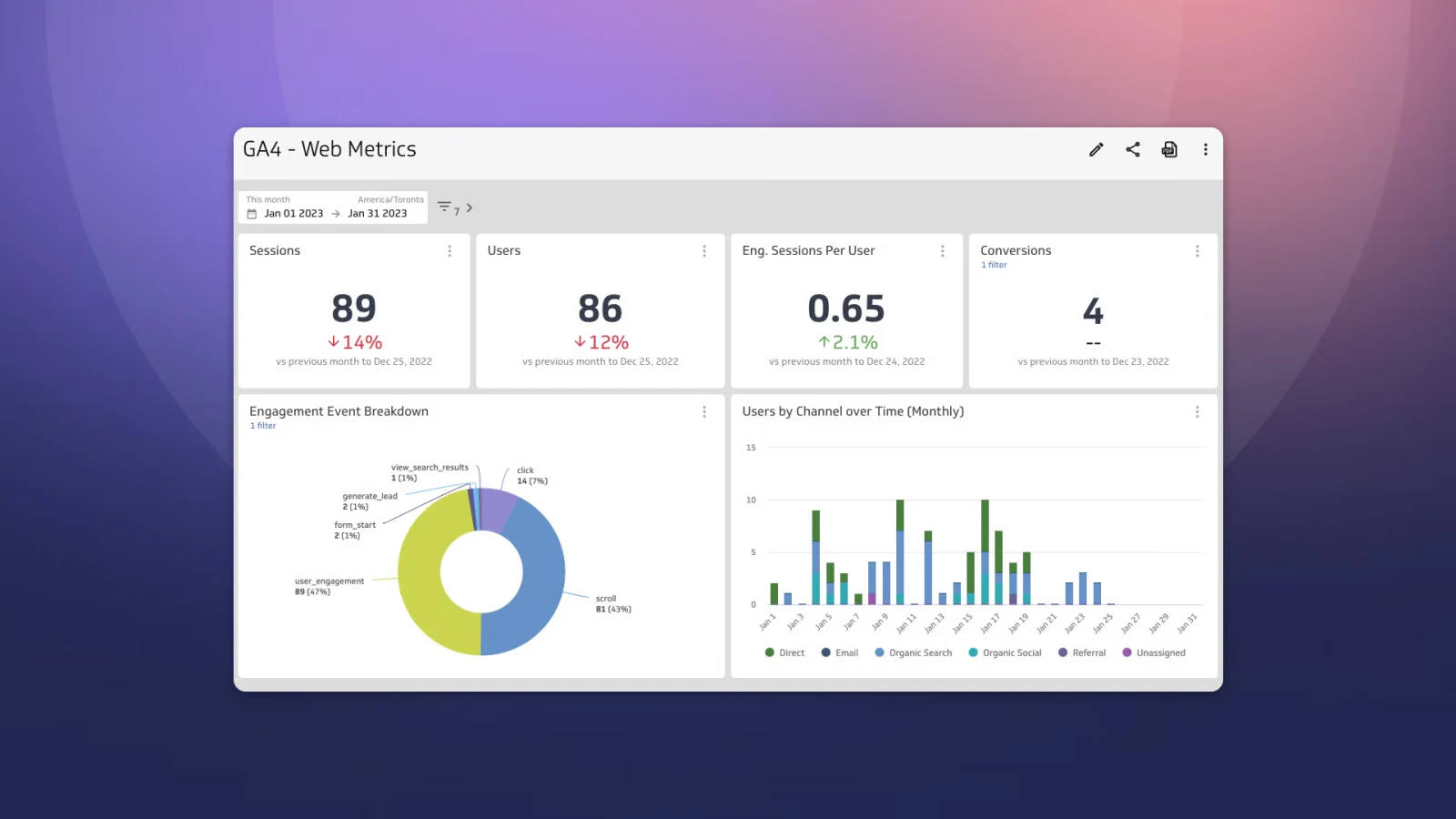
In the dynamic world of digital marketing, understanding user behavior is key to improving your website’s search engine rankings. Google Analytics 4 (GA4), launched as the successor to Universal Analytics, has become a cornerstone for SEO professionals in 2025. With its advanced event-based tracking, machine learning insights, and cross-device capabilities, GA4 offers a robust platform to analyze organic search performance and optimize SEO strategies.
This guide provides a comprehensive overview of using GA4 for SEO analytics. Whether you’re a beginner or an experienced marketer, you’ll learn how to set up GA4, leverage its key features, and integrate it with other tools to drive organic traffic. With expert guidance from Sadekur Rahman, you can unlock GA4’s full potential to enhance your online visibility.
What is GA4?
Google Analytics 4 (GA4) is Google’s next-generation analytics platform, designed to track user interactions across websites and apps. Unlike Universal Analytics (UA), which relied heavily on pageview-based tracking, GA4 uses an event-based model, allowing for more detailed insights into user actions. This shift makes GA4 particularly valuable for SEO analytics, as it captures nuanced user behaviors that influence search performance.
Key Features of GA4
- Event-Based Tracking: Tracks specific user actions like clicks, scrolls, or form submissions, providing granular data for SEO optimization.
- Cross-Device Tracking: Follows users across devices, offering a holistic view of the customer journey, which is crucial for understanding multi-device search behavior.
- Machine Learning Insights: Uses AI to deliver predictive analytics and anomaly detection, helping identify SEO opportunities.
- Privacy-Centric Design: Complies with regulations like GDPR and CCPA, ensuring data collection aligns with user privacy standards.
These features make GA4 a powerful tool for modern SEO, enabling businesses to adapt to evolving search engine algorithms and user expectations.
Why GA4 Matters for SEO
GA4’s advanced capabilities provide several benefits for SEO analytics, helping businesses refine their strategies and improve search rankings:
- Detailed Organic Search Insights: GA4’s reports reveal which keywords and pages drive organic traffic, enabling targeted content optimization.
- Enhanced User Engagement Metrics: Tracks metrics like dwell time and bounce rate, which signal content quality to search engines.
- Conversion Path Analysis: Shows how users move from search to conversion, helping identify high-performing SEO tactics.
- Integration with Google Search Console: Combines search performance data with user behavior insights for a comprehensive SEO view.
Research from Tatvic Analytics suggests that businesses using GA4 for SEO analytics can see up to a 20% increase in organic traffic when leveraging its features effectively. By understanding user interactions, you can create content that aligns with search intent and boosts rankings.
Setting Up GA4 for SEO
Proper setup is critical to harnessing GA4’s potential for SEO analytics. Follow these steps to get started:
Step-by-Step Setup Guide
- Create a GA4 Property:
- Log into your Google Analytics account at analytics.google.com.
- Navigate to “Admin” > “Create Property” > Select “Web.”
- Enter your website details and create the property.
- Configure Data Streams:
- In the “Admin” section, select “Data Streams” > “Create Stream” > “Web.”
- Input your website URL and enable enhanced measurement for automatic event tracking.
- Copy the measurement ID (e.g., G-XXXXXXX) and add it to your website via Google Tag Manager or directly in the site’s header.
- Set Up SEO-Related Events:
- Configure events for key actions like form submissions, button clicks, or scroll depth using GA4’s event tracking.
- Example: Set up an event for “form_submit” to track lead generation from organic traffic.
- Link with Google Search Console:
- In “Admin” > “Property,” select “Search Console Links.”
- Connect your Google Search Console property to import search query data into GA4.
For detailed setup instructions, refer to Google Analytics Help. Need help? Book a meeting with our team to ensure a seamless setup.
Key GA4 Features for SEO
GA4 offers several features tailored for SEO analytics, enabling you to monitor and optimize your website’s performance:
Organic Search Traffic Reports
- Access: Navigate to “Reports” > “Acquisition” > “Traffic Acquisition” and filter by “Organic Search.”
- Benefits: Shows sessions, users, and conversions from organic search, helping you identify top-performing keywords and pages.
Google Search Console Integration
- Access: After linking, view “Queries” and “Landing Pages” reports under “Reports” > “Search Console.”
- Benefits: Combines click-through rates (CTR), impressions, and user behavior data to refine keyword strategies.
Event Tracking
- Access: Configure in “Events” > “Create Event” or use Google Tag Manager.
- Benefits: Tracks specific actions like downloads or video plays, revealing how users engage with content.
Conversion Tracking and Attribution
- Access: Set up in “Conversions” > “New Conversion Event.”
- Benefits: Measures conversions from organic traffic and attributes them across the user journey.
Audience Insights and Segmentation
- Access: Go to “Reports” > “User” > “Audiences.”
- Benefits: Segments users by demographics or behavior, allowing targeted content optimization.
These features, highlighted by Search Engine Land, make GA4 a must-have for SEO professionals aiming to stay competitive in 2025.
Analyzing SEO Performance with GA4
GA4’s reporting capabilities allow you to monitor and analyze SEO performance effectively. Here’s how to use key reports:
Monitoring Organic Search Traffic Trends
- Report: “Reports” > “Acquisition” > “Traffic Acquisition” > Filter by “Organic Search.”
- Action: Track trends in sessions and users to assess the impact of SEO campaigns.
Identifying Top-Performing Keywords and Pages
- Report: “Reports” > “Search Console” > “Queries” or “Behavior” > “Site Content” > “All Pages.”
- Action: Optimize high-performing pages and target new keywords based on search query data.
Analyzing User Behavior
- Report: “Events” or “Engagement” > “Pages and Screens.”
- Action: Identify pages with high bounce rates or low engagement for content improvements.
Measuring SEO Campaign Impact
- Report: “Conversions” > Select specific conversion events.
- Action: Evaluate which keywords or pages drive conversions to prioritize in your strategy.
Regular analysis, as recommended by Analyzify, ensures your SEO efforts are data-driven and effective.
Integrating GA4 with Other SEO Tools
Integrating GA4 with other SEO tools enhances its capabilities, providing a holistic view of your performance:
| Tool | Integration Benefit | How to Use |
| Google Search Console | Combines search query data with user behavior insights | Link in GA4’s “Admin” > “Search Console Links” to view queries and CTRs. |
| Ahrefs | Adds backlink and keyword research data | Use Ahrefs for link-building insights and GA4 for traffic analysis. |
| Semrush | Enhances keyword and competitor analysis | Import Semrush keyword data into GA4 custom reports for deeper insights. |
| Moz | Supports link building and site audits | Combine Moz’s Domain Authority with GA4’s traffic data for strategy planning. |
These integrations, as noted by Analytics Mates, create a robust SEO ecosystem.
Best Practices for Using GA4 in SEO
To maximize GA4’s effectiveness for SEO, follow these best practices:
- Configure Goals and Conversions: Set up goals for key actions like form submissions or purchases to track SEO-driven conversions.
- Track Key Events: Monitor user interactions like clicks or scroll depth to understand engagement.
- Use Custom Dimensions: Add dimensions like device type or user location to segment data for targeted SEO strategies.
- Regularly Review Setup: Update tracking configurations to reflect changes in your website or SEO goals.
These practices, endorsed by Measure School, ensure accurate and actionable SEO insights.
Real-World Examples
Businesses leveraging GA4 have seen significant SEO improvements:
- E-commerce Success: An online retailer used GA4’s Search Console integration to identify high-CTR keywords, increasing organic traffic by 25% in six months.
- Local Business Growth: A restaurant chain tracked user engagement events in GA4, optimizing their site for local searches and boosting conversions by 15%.
- Content Optimization: A blog used GA4’s audience segmentation to tailor content, moving several posts to Google’s first page within weeks.
Explore similar success stories in our case studies.
Why Choose Sadekur Rahman for Your SEO Needs?
At Sadekur Rahman, we combine GA4’s powerful analytics with expert SEO strategies to drive results. Our services include:
- Comprehensive SEO Audits: Identify and resolve issues impacting your rankings.
- Content Optimization: Create SEO-friendly content to attract organic traffic.
- Link Building: Secure high-quality backlinks to boost your site’s authority.
- Customized Plans: Tailored strategies to meet your business goals.
Ready to optimize your SEO with GA4? Book a meeting or explore our plans and pricing today.
Frequently Asked Questions (FAQ)
What is the difference between GA4 and Universal Analytics?
GA4 uses event-based tracking, while Universal Analytics relies on pageviews. GA4 also offers cross-device tracking and machine learning insights, making it more advanced for SEO analytics.
How can GA4 help with keyword research?
GA4’s Search Console integration provides data on search queries driving traffic, helping you identify high-performing keywords and optimize content accordingly.
Is GA4 suitable for small businesses?
Yes, GA4’s free features and scalability make it ideal for small businesses looking to improve SEO without significant investment.
How long does it take to see SEO results with GA4?
Results vary by industry and strategy, but with proper setup, you may see improvements in organic traffic within 3–6 months.
Conclusion
Google Analytics 4 (GA4) is a transformative tool for SEO analytics, offering advanced features to track user behavior, optimize content, and boost search rankings. By setting up GA4 correctly, leveraging its key features, and integrating it with tools like Google Search Console, you can gain actionable insights to drive organic traffic. Partner with Sadekur Rahman to maximize GA4’s potential and achieve your SEO goals in 2025. Contact us for a free consultation today!

Written by Sadekur Rahman
SEO & Website Strategy Specialist at Pixelvega and SEO Executive at Daily Amar Desh. 6+ years helping brands grow with data-driven SEO.