Why Am I Getting Impressions But Zero Clicks?
Getting impressions but zero clicks in Google? Discover why your pages appear but don't get clicked and proven solutions to fix CTR issues today.

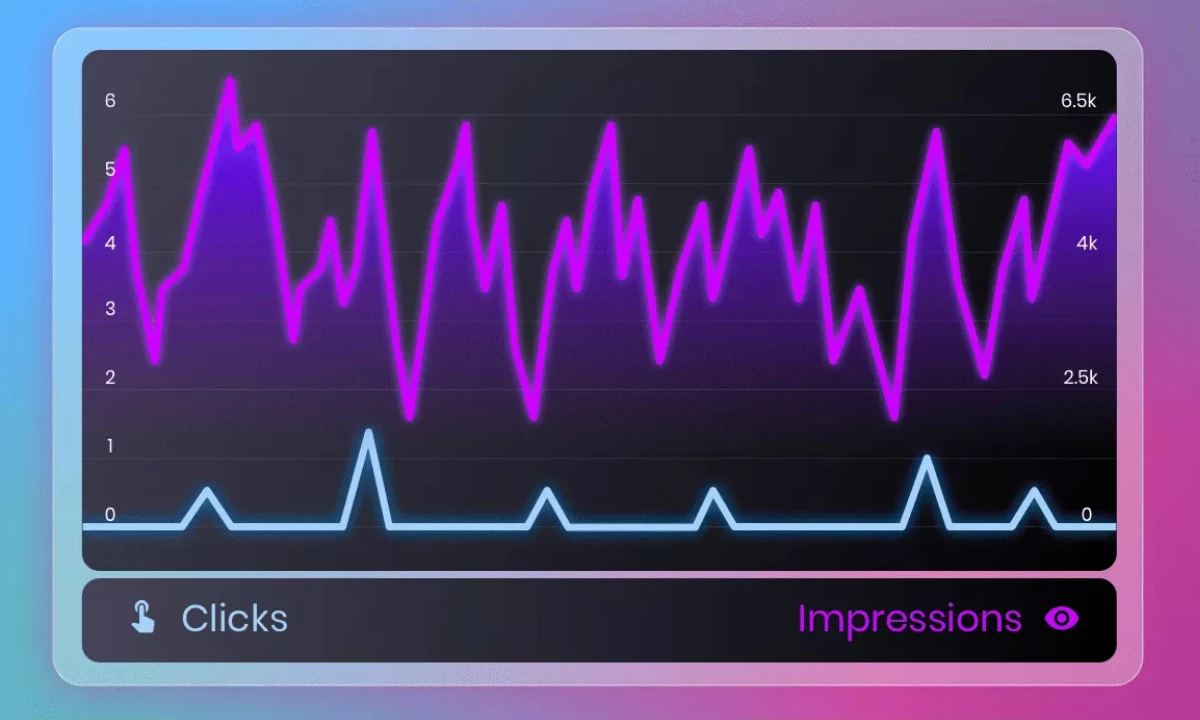
You open Google Search Console, and the numbers tell a frustrating story: thousands of impressions, but your clicks are stuck at zero. Your pages are showing up in search results, but nobody's clicking through to your site.
This scenario is more common than you think, and it's particularly demoralizing because you've done part of the work getting your content indexed and displayed. But without clicks, those impressions are worthless. You're visible but invisible at the same time.
The good news? Impressions without clicks is a fixable problem. Unlike ranking issues that depend on complex algorithms, this is primarily about how your pages present themselves in search results. In this comprehensive guide, I'll show you exactly why you're getting impressions but no clicks, and how to transform those wasted appearances into actual traffic.
Understanding Impressions vs. Clicks
What Are Impressions?
An impression occurs each time your page appears in search results, whether or not the user scrolls far enough to see it. Google counts an impression even if:
- Your result appears on page 2 or beyond
- Your listing is below the fold on mobile
- The user never scrolls to your position
- Your result is behind other SERP features
Key insight: Impressions don't equal visibility. A page ranking position 95 generates impressions but has virtually zero chance of being clicked.
Why Impressions Without Clicks Matter
High impressions with zero clicks indicates several potential problems:
Wasted ranking efforts: You've achieved some search visibility, but it's not generating value. The SEO work to get impressions is partially wasted without clicks.
Lost opportunity cost: Every impression represents a potential visitor you're failing to capture. If you have 10,000 impressions monthly with zero clicks, you're missing significant traffic.
Ranking signal concerns: Consistently low click-through rates may signal to Google that users don't find your result relevant, potentially harming future rankings.
Revenue impact: No clicks means no conversions, no leads, and no sales from those search appearances.
Understanding SEO analytics helps you identify and fix these visibility issues.
Normal vs. Problematic CTR Patterns
Not all low-click scenarios are equally concerning:
Acceptable low-click situations:
- Brand monitoring queries (informational, not looking for your site)
- Extremely high rankings (position 50+)
- Queries where featured snippets answer the question
- Non-commercial informational queries
Problematic zero-click patterns:
- Page 1 rankings with zero clicks
- Commercial intent keywords with no engagement
- Hundreds of impressions with literally zero clicks
- Consistent pattern across multiple pages
- Declining clicks despite stable impressions
If you're seeing the problematic patterns, you need immediate action. Use my SEO services to address these critical visibility issues.
Common Reasons for Impressions Without Clicks
Reason 1: Terrible Ranking Position
The most common culprit: you're ranking so low that nobody sees or clicks your result.
Position impact on CTR:
| Position | Average CTR | Likelihood of Zero Clicks |
| 1-3 | 20-35% | Very Low |
| 4-10 | 2-12% | Low |
| 11-20 | 0.5-2% | Moderate |
| 21-50 | 0.1-0.5% | High |
| 50+ | <0.1% | Very High |
Reality check: If you're ranking position 45, getting impressions with zero clicks is expected, not a crisis. The solution isn't fixing your titles it's improving your rankings.
How to check your actual position:
- Google Search Console Performance report
- Filter by specific queries
- Check average position column
- Focus on queries with position 1-20
Reason 2: Your Titles and Descriptions Are Awful
Even with decent rankings, terrible metadata kills clicks.
Title and description problems:
Generic, boring titles:
- "About Us | Company Name"
- "Services - Business Name"
- "Blog Post | Website"
Missing meta descriptions:
- Google creates snippet from page content
- Often pulls random, irrelevant text
- No compelling call-to-action
Keyword-stuffed, unreadable text:
- "SEO Services SEO Agency SEO Company SEO Expert"
- Looks spammy and unprofessional
- Doesn't communicate clear value
Misleading or unclear messaging:
- Title doesn't indicate what page offers
- Description doesn't match search intent
- No clear benefit or reason to click
Solution: Craft compelling titles with benefits and power words. Write persuasive meta descriptions with calls-to-action. Learn more about creating SEO-friendly content that attracts clicks.
Reason 3: Featured Snippets Above You Answer the Query
Position zero (featured snippets) can answer questions so completely that users don't need to click any results below.
Zero-click search scenarios:
Definition queries:
- "What is SEO?"
- Featured snippet provides complete answer
- No need to visit sites below
Quick facts:
- "What year was Google founded?"
- Answer is in the snippet
- Users get what they need instantly
Simple how-to queries:
- "How to boil an egg"
- Steps in the snippet
- Complete information without clicking
This isn't always bad: Appearing in featured snippets builds authority even without clicks. But if competitors hold snippets for your keywords, you need to reclaim them. Check out my guide on optimizing for featured snippets.
Reason 4: SERP Features Dominate Above You
Modern search results contain many elements above organic listings that capture attention and clicks.
SERP features stealing clicks:
Ads:
- 4 ads above organic results
- Visually prominent with "Ad" label
- Take premium positions
Local pack:
- Map with 3 local businesses
- Dominates for location-based queries
- Organic results pushed far down
Shopping results:
- Product carousel with images
- Prices and ratings visible
- Very clickable for product searches
People Also Ask boxes:
- Expandable questions
- Often above your organic position
- Can satisfy user intent
Knowledge panels:
- Right side information box
- Contains extensive details
- Reduces clicks to organic results
Video carousels:
- YouTube videos prominently displayed
- Thumbnails attract attention
- Especially dominant for how-to queries
Solution: Optimize for these SERP features rather than just organic rankings. Implement schema markup, create video content, optimize for local pack when relevant.
Reason 5: Mobile Presentation Issues
With 60%+ of searches on mobile, mobile-specific display problems can kill clicks.
Mobile CTR killers:
Title truncation:
- Mobile displays fewer characters (50-60 vs 60-70)
- Critical information cut off
- Incomplete messaging
Description rendering:
- Fewer lines on mobile
- Different line breaks
- Call-to-action hidden
Position matters more:
- Less scrolling on mobile
- Position 5+ dramatically less visible
- SERP features push you further down
URL visibility:
- Truncated URLs on mobile
- Domain credibility less obvious
- Breadcrumbs hidden
Solution: Test how your results appear on actual mobile devices, not just desktop previews. Optimize titles for mobile-first character limits. Ensure key information appears early.
Reason 6: Poor Brand Recognition or Trust
Unknown brands struggle to attract clicks, especially for commercial queries.
Trust factors affecting CTR:
Unknown domain name:
- Users prefer recognized brands
- Unfamiliar domains seem risky
- Particularly true for ecommerce
No brand presence:
- Not seen in other marketing channels
- No social media visibility
- No industry mentions
Sketchy-looking URL:
- Long, parameter-filled URLs
- Weird domain extensions
- Numbers and hyphens
Missing trust signals:
- No review stars in results (no schema)
- No author information
- Generic, template-looking snippets
Solution: Build brand presence through consistent content marketing and social media optimization. Implement review schema markup. Develop recognizable brand voice.
Reason 7: Wrong Search Intent Match
Your listing appears for queries where users want something completely different.
Intent mismatch examples:
Product page for how-to query:
- User searches: "how to use WordPress"
- Your page: WordPress hosting product page
- Intent: learning vs. buying
Blog post for buying query:
- User searches: "buy running shoes online"
- Your page: "Benefits of Running" blog post
- Intent: purchasing vs. reading
Local intent, non-local page:
- User searches: "pizza near me"
- Your page: National chain about page
- Intent: immediate local need vs. corporate info
Solution: Analyze which queries generate impressions. Review search intent for each. Create content specifically matching that intent. Use proper keyword planning to align content with user needs.
Reason 8: Competitor Listings Are Simply Better
Sometimes you're getting no clicks because competitors have objectively superior SERP presentations.
Competitive disadvantages:
Better titles:
- More compelling copy
- Clearer benefits
- Stronger calls-to-action
Rich results:
- Star ratings from reviews
- FAQ sections expanded
- How-to step snippets
- Product information visible
Brand recognition:
- Established, trusted brands
- Recognized domain names
- Industry leaders
Better descriptions:
- More persuasive copy
- Specific, quantified benefits
- Urgency and social proof
Solution: Conduct competitive SERP analysis. Identify what top results do better. Implement those improvements while adding unique value. Use my competitor analysis strategies to identify gaps.
How to Fix Zero-Click Impressions
Fix 1: Improve Your Rankings First (If Below Position 20)
If you're ranking below page 2, focus on rankings before optimizing CTR.
Ranking improvement priorities:
On-page optimization:
- Improve content quality and depth
- Add 500-1000 more words of value
- Include more relevant keywords naturally
- Enhance readability and structure
- Add multimedia elements
Technical SEO:
- Improve page speed (target <3 seconds)
- Fix mobile usability issues
- Ensure proper indexation
- Optimize Core Web Vitals
- Fix broken links and errors
Backlink acquisition:
- Build high-quality relevant links
- Focus on industry-specific sources
- Create linkable assets
- Strategic outreach campaigns
Content freshness:
- Update with current information
- Add recent statistics and examples
- Refresh outdated sections
- Include current year in title
Use my technical SEO checklist for systematic improvement.
Fix 2: Rewrite Titles for Maximum Click Appeal
Your title is the single most important CTR factor.
Title optimization formula:
Include power words:
- Complete, Ultimate, Essential, Proven
- Simple, Easy, Quick, Fast
- Secret, Hidden, Surprising
Add numbers and brackets:
- "12 Ways to..." not "Ways to..."
- [2024 Guide], [Free Template], [Step-by-Step]
- Increases CTR by 20-30%
Lead with benefit:
- Start with outcome, not process
- "Double Your Traffic" not "Traffic Guide"
- Focus on transformation
Include target keyword:
- Near the beginning
- Natural, readable placement
- Helps users identify relevance quickly
Create urgency:
- Time-sensitive language
- "Before It's Too Late"
- "Updated for 2024"
Good title examples:
Before: "Guide to Email Marketing" After: "Email Marketing Mastery: 15 Proven Tactics That Doubled Opens [2024]"
Before: "SEO Services | Company Name" After: "SEO Services That Increased Client Traffic 300% [Free Audit]"
Fix 3: Craft Compelling Meta Descriptions
Your description is your sales pitch make it count.
Description best practices:
Start strong:
- First 120 characters most important
- Mobile may show less
- Hook readers immediately
Include call-to-action:
- "Discover how to..."
- "Get your free..."
- "Learn the secrets..."
- "Start today..."
Use specific numbers:
- "300% increase" not "big increase"
- "12 strategies" not "multiple strategies"
- "5-minute read" not "quick article"
Address pain points:
- "Struggling with low traffic?"
- "Tired of wasting money on ads?"
- "Want more leads without more budget?"
Add social proof:
- "Trusted by 10,000+ businesses"
- "As seen in Forbes"
- "Rated 4.9/5 by clients"
Effective description examples:
Before: "Learn about SEO in this comprehensive guide to search engine optimization for your business website."
After: "Boost organic traffic 200% with this complete SEO guide. Learn proven strategies from 50+ successful campaigns. Free checklist included!"
Fix 4: Implement Schema Markup for Rich Results
Structured data makes your listings stand out visually in search results.
High-impact schema types:
Review/Rating schema:
- Shows star ratings
- Displays review count
- Increases CTR 15-35%
- Essential for products and services
FAQ schema:
- Displays questions in SERP
- Expands when clicked
- Takes more visual space
- Provides immediate value
Product schema:
- Shows price
- Displays availability
- Shows ratings
- Essential for ecommerce SEO
Article schema:
- Shows publish date
- Displays author
- May show thumbnail image
- Signals freshness
Breadcrumb schema:
- Shows site structure
- Makes URLs readable
- Helps users understand context
Implementation steps:
- Choose relevant schema types for your content
- Use Google's Structured Data Markup Helper
- Validate with Rich Results Test
- Monitor appearance in Search Console
- Track CTR improvements
Learn more about schema markup implementation.
Fix 5: Optimize for Featured Snippets
Capturing position zero can dramatically increase visibility, even if it sometimes reduces traditional clicks.
Featured snippet strategies:
Answer questions directly:
- Include question as H2 heading
- Provide 40-60 word answer immediately
- Expand with details below
Use proper formatting:
- Numbered lists for steps
- Bullet points for items
- Tables for comparisons
- Clear, scannable structure
Target "how to" queries:
- Step-by-step instructions
- Clear, concise language
- Logical progression
Define terms clearly:
- Start with "X is..."
- Keep definitions under 60 words
- Provide context
Create comparison content:
- Side-by-side tables
- Clear differentiators
- Objective information
Fix 6: Add Current Dates to Signal Freshness
Recent dates dramatically improve CTR for time-sensitive topics.
Date optimization tactics:
Include year in title:
- "SEO Guide 2024" vs "SEO Guide"
- Signals currency immediately
- Update annually
Show update dates:
- "Updated January 2024"
- "Refreshed for 2024"
- Particularly effective in descriptions
When dates help most:
- How-to guides and tutorials
- Tool comparisons and reviews
- Industry statistics and trends
- Best practices (they evolve)
- News and recent events
When to avoid dates:
- Evergreen concepts
- Historical information
- Timeless advice
- Reference materials
Critical rule: Only use dates when content is actually current. Fake dates destroy trust.
Fix 7: Use Emotional Triggers and Urgency
Psychology-driven copy increases clicks by triggering specific responses.
Effective emotional triggers:
Fear of missing out (FOMO):
- "Don't Miss..."
- "Before It's Too Late"
- "Limited Time"
- "While Supplies Last"
Curiosity:
- "The Secret to..."
- "What Nobody Tells You About..."
- "Hidden Strategies..."
- "Surprising Results From..."
Exclusivity:
- "Insider's Guide"
- "Members Only"
- "Exclusive Access"
- "VIP Techniques"
Transformation:
- "From Zero to Hero"
- "Before and After"
- "Complete Transformation"
- "Start to Finish"
Authority:
- "Expert Guide"
- "Professional's Handbook"
- "Certified Methods"
- "Industry Leader's"
Fix 8: Test Different Variations Systematically
Stop guessing test what actually works for your audience.
A/B testing approach:
What to test:
- Emotional vs. rational appeals
- Question vs. statement format
- Numbers vs. words ("12" vs "twelve")
- Different power words
- Various CTAs
Testing process:
- Identify high-impression, zero-click pages
- Note current title and description
- Create compelling alternative
- Implement change
- Wait 30 days for data
- Compare CTR before vs. after
- Scale winning approaches
Tracking methodology:
- Use Google Search Console CTR data
- Track by specific query
- Consider position changes
- Account for seasonality
- Document all variations
Fix 9: Analyze Competitor SERP Presentations
Learn from what's working for top results.
Competitive analysis steps:
Manual SERP review:
- Search your target keywords
- Analyze top 5 results
- Note title patterns
- Review description approaches
- Identify schema usage
- Check SERP features they capture
Pattern identification:
- Common words and phrases
- Typical formatting structures
- Benefit vs feature focus
- CTA approaches
- Number usage
Differentiation opportunities:
- What aren't they doing?
- What unique angle can you offer?
- Where can you provide more value?
- What trust signals are missing?
Fix 10: Improve Mobile Presentation
With mobile-first indexing, mobile optimization is critical.
Mobile-specific optimizations:
Title length:
- Keep under 55 characters
- Critical info in first 50
- Test on actual devices
Description focus:
- Most important info first
- Assume truncation at 120 characters
- Clear CTA early
URL structure:
- Short, clean URLs
- Avoid parameters
- Readable domain
Testing:
- Check on multiple devices
- Use various screen sizes
- Test in portrait and landscape
- Review in actual search results, not just previews
Real-World Success Story: Zero Clicks to 847 Monthly Clicks
The Problem: A B2B SaaS company had 12,450 monthly impressions across 73 keywords but averaged only 6 clicks per month (0.05% CTR). Some pages had hundreds of impressions with literally zero clicks.
The Investigation: Analysis revealed multiple issues:
- Average ranking position: 28 (bottom of page 3)
- Generic titles: "Features | Product Name"
- No meta descriptions (Google auto-generated poor snippets)
- Zero schema markup
- URLs with parameter strings
- Competing against established brands with rich results
The Solutions Implemented:
Phase 1: Ranking improvements (8 weeks)
- Expanded content from 400 to 1,500+ words
- Improved Core Web Vitals
- Built 15 quality backlinks
- Fixed technical issues
- Result: Average position improved to 12
Phase 2: CTR optimization (4 weeks)
- Rewrote all titles with benefits and numbers
- Crafted compelling meta descriptions with CTAs
- Implemented Article and FAQ schema
- Cleaned up URLs
- Added current year to time-sensitive content
- Result: CTR increased from 0.05% to 6.8%
Phase 3: SERP feature capture (ongoing)
- Optimized for featured snippets
- Targeted People Also Ask boxes
- Created FAQ sections with proper schema
- Result: Captured 3 featured snippets
Final Results (After 12 Weeks):
- Impressions: 12,450 → 14,230 (14% increase)
- Clicks: 6 → 847 per month (14,016% increase)
- Average position: 28 → 8 (71% improvement)
- CTR: 0.05% → 5.95% (11,800% improvement)
- Qualified leads: 0 → 23 per month
- Estimated monthly value: $34,500 in pipeline
This demonstrates that zero-click impressions are recoverable through systematic optimization. Similar results are achievable through professional SEO services combining ranking improvement with CTR optimization.
Tools for Diagnosing Zero-Click Issues
Essential Analysis Tools
Google Search Console:
- Performance report showing impressions, clicks, CTR, position
- Query-level data
- Page-level analysis
- Free and authoritative
Rank tracking tools:
- SEMrush Position Tracking
- Ahrefs Rank Tracker
- Moz Pro
- AccuRanker
SERP analysis tools:
- SERPWatcher
- Nightwatch
- Advanced Web Ranking
Schema testing:
- Google's Rich Results Test
- Schema Markup Validator
- SEO Testing Tool
Explore more options in my SEO tools guide.
Monitoring Best Practices
Regular review schedule:
- Weekly: Check Search Console for patterns
- Monthly: Comprehensive CTR analysis
- Quarterly: Major optimization push
Key metrics to track:
- Impressions by query
- CTR by position
- Zero-click queries specifically
- Position changes
- SERP feature appearances
Set up alerts:
- Significant CTR drops
- New zero-click pages
- Position improvements
- Featured snippet losses
Why Professional Help Accelerates Results
Fixing zero-click impressions requires expertise in multiple areas ranking improvement, persuasive copywriting, technical implementation, and systematic testing. While basic improvements can be made independently, professional assistance delivers faster, more comprehensive results through:
Expert advantages:
- Experience identifying root causes quickly
- Proven CTR optimization formulas
- Technical schema implementation expertise
- Sophisticated testing methodologies
- Access to premium tools and data
As an experienced SEO specialist, I help businesses transform wasted impressions into valuable traffic through comprehensive optimization. Whether you need ranking improvements, CTR optimization, or complete SERP strategy, I can develop solutions that drive actual clicks and conversions.
Frequently Asked Questions About Impressions Without Clicks
Is it normal to have impressions but no clicks?
For pages ranking below position 20 (page 2+), it's somewhat normal to have very few or zero clicks due to low visibility. However, if you're ranking positions 1-10 with zero clicks, something is seriously wrong with your title, description, or search intent match. The issue requires immediate attention.
How many impressions should I have before worrying about zero clicks?
If a page has fewer than 100 impressions per month, zero clicks might be statistical noise. However, pages with 500+ impressions and zero clicks clearly have a problem that needs fixing. Focus optimization efforts on high-impression, zero-click pages first.
Can zero-click searches hurt my rankings?
Consistently appearing in search results without getting clicks can signal to Google that users don't find your result relevant, potentially harming rankings over time. However, the relationship isn't direct or immediate. Focus on improving both rankings and CTR simultaneously for best results.
Should I focus on rankings or CTR first?
If you're ranking below position 15, focus on improving rankings first that's the primary issue. If you're ranking positions 1-10 with low CTR, optimize your titles and descriptions immediately. For positions 11-15, improve both simultaneously.
How long does it take to see CTR improvements?
Title and meta description changes typically reflect in search results within 1-2 weeks as Google recrawls your pages. Meaningful CTR data requires 4-6 weeks to establish statistical significance. Schema markup and featured snippet optimization may take 2-3 months for full impact.
Take Action on Your Zero-Click Problem Today
Getting impressions without clicks means you're halfway to success but missing the crucial final step. Every impression represents a potential visitor, customer, or lead that you're failing to capture. The frustrating part? You've already done the hard work of ranking now you just need to convert visibility into actual traffic.
Start by identifying your worst offenders: pages with high impressions and zero clicks. Check their actual ranking positions. If they're on page 1, implement the title and description optimizations immediately. If they're beyond page 2, focus on improving rankings first.
Struggling with zero-click impressions? I offer comprehensive SEO services that address both ranking improvements and CTR optimization. Whether you need better rankings, compelling metadata, schema implementation, or complete SERP strategy, I can help transform your wasted impressions into valuable traffic.
Schedule a free consultation to discuss your impression and CTR challenges, or explore my service packages for comprehensive search visibility optimization.
Don't let another impression go to waste take action today to turn your search visibility into actual clicks, traffic, and revenue.
About the Author: Sadekur Rahman is an SEO specialist with extensive experience optimizing search visibility and click-through rates. With expertise in ranking improvement, persuasive copywriting, and SERP optimization, Sadekur has helped numerous businesses transform zero-click impressions into valuable traffic and conversions. View case studies of successful CTR transformations or learn more about optimization services.

Written by Sadekur Rahman
SEO & Website Strategy Specialist at Pixelvega and SEO Executive at Daily Amar Desh. 6+ years helping brands grow with data-driven SEO.