How to Check Website Traffic for SEO Insights
Learn how to check website traffic using top SEO tools and understand how this data can help improve your search engine rankings. Get expert tips from Sadekur Rahman, an SEO Specialist.

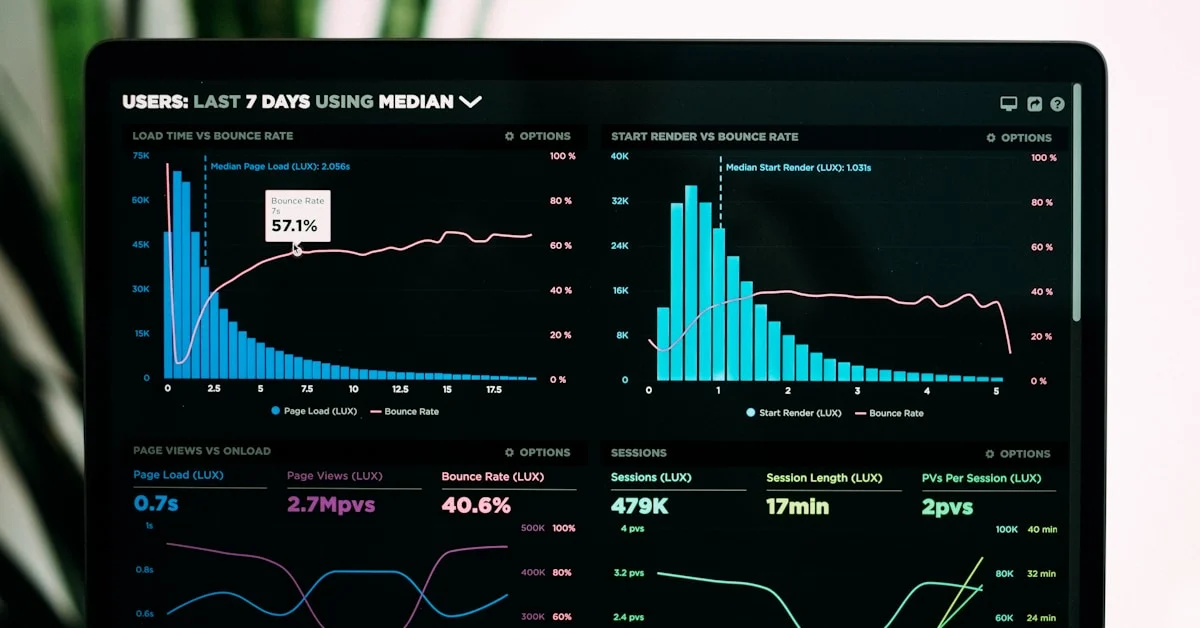
Website traffic refers to the number of visitors who come to your website. For businesses, understanding website traffic is crucial because it provides insights into how well your online presence is performing and how effectively you're reaching your target audience. In the context of SEO (Search Engine Optimization), checking website traffic can help you gauge the success of your SEO strategies, identify areas for improvement, and make data-driven decisions to enhance your online visibility.
What is Website Traffic and Why is it Important for SEO?
Website traffic is the number of visitors to your site, a key metric for measuring the effectiveness of your digital marketing efforts, including SEO. Here’s why it’s important:
- Understanding User Behavior: Traffic data reveals which pages are most popular, how long visitors stay, and where they come from, helping you tailor content and site structure to meet user needs.
- Evaluating SEO Performance: An increase in organic traffic suggests your site is ranking higher for relevant keywords, indicating successful SEO efforts.
- Identifying Content Gaps: Low traffic on certain pages may signal the need for optimization or additional content in those areas.
- Benchmarking Against Competitors: Analyzing competitors’ traffic helps you understand how your site performs and identify opportunities to outperform them.
Top Tools for Checking Website Traffic
Several tools can help you analyze website traffic effectively. Below is a comparison of the top tools, their features, and how to use them:
| Tool | Key Features | Best For | Free/Paid | Link |
| Semrush | Traffic analytics, competitor insights, audience data, forecasting | In-depth competitor and traffic analysis | Free trial/Paid | Semrush |
| Similarweb | Traffic estimates, engagement metrics, keyword research, market trends | Market and competitor analysis | Free/Paid | Similarweb |
| Ahrefs | Traffic tracking, backlink analysis, keyword research, customizable reports | Technical SEO and competitor analysis | Free trial/Paid | Ahrefs |
| SERanking | Organic/paid traffic estimates, top pages, ranking keywords | User-friendly traffic insights | Free/Paid | SERanking |
| Google Analytics | Real-time traffic, user demographics, behavior flow, conversion tracking | Detailed site performance tracking | Free | Google Analytics |
1. Semrush
- Features: Semrush’s Traffic Analytics tool provides total visits, traffic sources, top pages, and competitive intelligence. It also supports forecasting traffic, revenue, and ROI.
- Why Use It: Ideal for businesses seeking in-depth analysis of their own and competitors’ websites.
- How to Use:
- Sign up for a Semrush account (free trial available).
- Navigate to the Traffic Analytics section.
- Enter the website URL you want to analyze.
- Review reports on organic traffic, paid traffic, referral traffic, and more.
2. Similarweb
- Features: Offers traffic estimates, engagement metrics (e.g., bounce rate, session duration), and insights into traffic sources. It also supports keyword research and rank tracking.
- Why Use It: Great for understanding market trends and competitor performance across multiple channels.
- How to Use:
- Create a free account on Similarweb.
- Enter the website URL.
- Explore reports showing total visits, traffic sources, and engagement metrics.
3. Ahrefs
- Features: Tracks website traffic, monitors brand mentions across AI chatbots, and provides customizable reports. It excels in backlink and keyword analysis.
- Why Use It: Perfect for technical SEO and competitive analysis.
- How to Use:
- Sign up for Ahrefs (free trial available).
- Use the Site Explorer tool to enter the website URL.
- View traffic data, including organic traffic, keywords, and top pages.
4. SERanking
- Features: Provides organic and paid traffic estimates, top-performing pages, and ranking keywords. It’s user-friendly with a focus on actionable insights.
- Why Use It: Suitable for businesses looking for straightforward traffic analysis.
- How to Use:
- Create a free account on SERanking.
- Go to the Website Traffic Checker tool.
- Enter the domain and review the traffic reports.
5. Google Analytics
- Features: Offers real-time traffic data, user demographics, behavior flow, and conversion tracking. It’s a free tool that integrates seamlessly with most websites.
- Why Use It: Essential for understanding user interactions and tracking marketing campaign performance.
- How to Use:
- Sign up for a Google Analytics account.
- Add the tracking code to your website.
- Access the dashboard to view detailed traffic reports.
How to Use These Tools to Check Website Traffic
The process for using these tools is generally straightforward:
- Sign Up or Log In: Most tools require an account, though Google Analytics is free and easy to set up for your own site.
- Enter the Website URL: Input the URL of the website you want to analyze (your own or a competitor’s).
- View Reports: The tool generates reports showing total visits, traffic sources, top pages, and engagement metrics.
- Analyze Data: Focus on key metrics like organic traffic, bounce rate, and top-performing pages to identify strengths and areas for improvement.
Interpreting Website Traffic Data for SEO
Understanding traffic data is key to improving your SEO strategy. Here are the main metrics to focus on:
- Organic Traffic: Visitors from search engines indicate how well your site ranks for relevant keywords.
- Bounce Rate: A high bounce rate (e.g., visitors leaving after viewing one page) may suggest that your content or user experience needs improvement.
- Top Pages: Pages with high traffic are your strongest assets. Use them as models for future content.
- Keywords: Identify which keywords drive traffic to refine your content strategy.
- Traffic Sources: Understand whether traffic comes from organic search, paid ads, social media, or referrals to optimize your marketing channels.
By analyzing these metrics, you can make data-driven decisions to enhance your site’s SEO performance.
Common Mistakes to Avoid When Checking Website Traffic
Avoid these pitfalls to ensure accurate and actionable insights:
- Focusing Only on Quantity: High traffic numbers are meaningless if visitors don’t engage or convert. Prioritize quality traffic that aligns with your business goals.
- Ignoring SEO: Without proper SEO, your site may struggle to attract organic traffic. Optimize for relevant keywords and ensure mobile-friendliness.
- Neglecting Social Media: Social platforms can drive significant traffic. Promote your content on channels like Facebook, Twitter, and LinkedIn.
- Poor Content Quality: Outdated or low-quality content can deter visitors. Regularly update your site with fresh, relevant material.
- Misinterpreting Data: A high bounce rate doesn’t always mean failure—it could indicate users found what they needed quickly. Context matters.
- Not Using Analytics Properly: Set up goals and track key metrics to get the most out of tools like Google Analytics.
- Ignoring Competitors: Monitoring competitors’ traffic can reveal gaps in your strategy and opportunities to gain market share.
Best Practices for Using Website Traffic Data
To maximize the value of traffic data:
- Monitor Regularly: Check traffic monthly to spot trends and anomalies. Weekly checks can provide more immediate insights.
- Compare with Competitors: Use tools like Similarweb or Ahrefs to benchmark your performance against competitors.
- Set Goals: Define clear objectives, such as increasing organic traffic by 20%, and track progress.
- Conduct A/B Testing: Test different content or design strategies based on traffic data to optimize user engagement.
Why Choose Sadekur Rahman for Your SEO Needs?
Sadekur Rahman, an experienced SEO Specialist, helps businesses boost their online visibility and search engine rankings. With a passion for digital marketing, Sadekur offers tailored services, including keyword research, on-page optimization, link building, and content creation. His expertise can help you leverage traffic data to achieve your business goals.
- Explore Our Services: Services Page
- Book a Meeting: Book a Meeting Page
- View Our Plans and Pricing: Plans and Pricing Page
- Check Out Our Case Studies: Case Studies Page
FAQ Section
- What is the best tool to check website traffic?
The best tool depends on your needs. Semrush and Ahrefs are ideal for comprehensive analysis, while Google Analytics is a free, robust option for tracking your own site’s performance. - How often should I check my website traffic?
Check traffic monthly to monitor trends and make strategic adjustments. Weekly checks can help you respond quickly to changes. - Can I check my competitors’ website traffic?
Yes, tools like Semrush, Similarweb, and Ahrefs provide detailed insights into competitors’ traffic, including sources and top pages. - What does organic traffic mean?
Organic traffic refers to visitors who find your site through unpaid search engine results, a key indicator of SEO success.
Conclusion
Checking website traffic is a cornerstone of effective SEO. By using tools like Semrush, Similarweb, Ahrefs, SERanking, and Google Analytics, you can gain valuable insights into your site’s performance and make informed decisions to improve your online presence. Avoid common mistakes, monitor traffic regularly, and leverage data to optimize your strategy. For personalized SEO solutions, consult Sadekur Rahman to drive more traffic and conversions to your website.
CTAs

Written by Sadekur Rahman
SEO & Website Strategy Specialist at Pixelvega and SEO Executive at Daily Amar Desh. 6+ years helping brands grow with data-driven SEO.