How to Fix Crawl Budget Issues on Large Websites (Step-by-Step Guide)
Learn how to fix crawl budget issues on large websites with this step-by-step guide. Optimize crawl budget to improve indexing, rankings, and SEO performance.

Is your large website struggling with indexing problems despite having hundreds or thousands of quality pages? You might be facing crawl budget issues that prevent Google from discovering and ranking your most important content.
Crawl budget optimization is the process of ensuring search engines efficiently crawl and index your website's most valuable pages while avoiding low-quality or duplicate content. For large websites with 10,000+ pages, poor crawl budget management can mean your best content never gets indexed, directly impacting your organic traffic and revenue.
In this comprehensive guide, I'll walk you through exactly what crawl budget is, how to diagnose crawl budget problems, and proven strategies to fix these issues for better search engine visibility.
What Is Crawl Budget and Why Does It Matter?
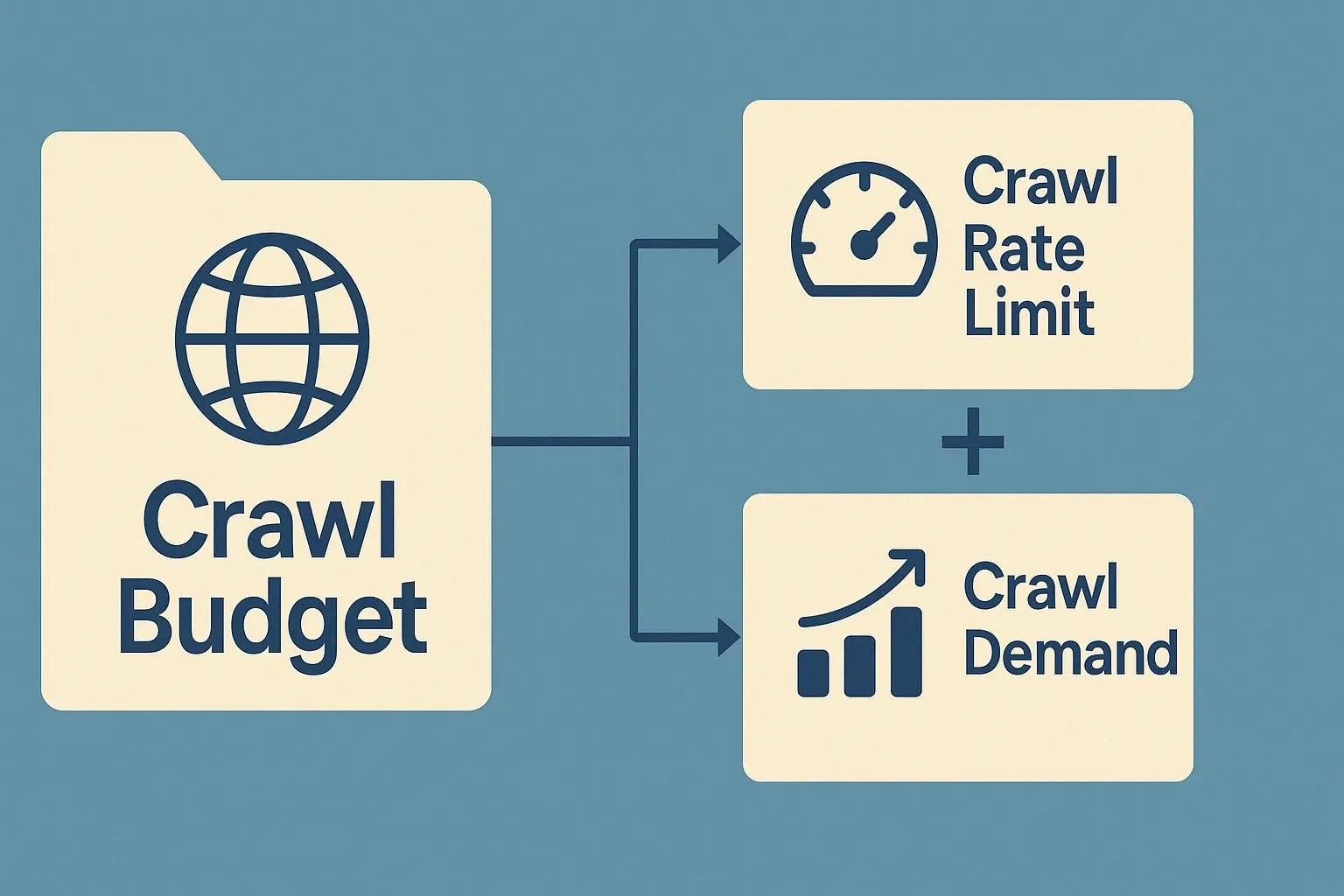
Crawl budget refers to the number of pages Googlebot will crawl on your website within a given timeframe. According to Google's Search Central documentation, crawl budget is determined by two main factors:
Crawl Rate Limit: The maximum fetching rate Googlebot will use for your site without overloading your server.
Crawl Demand: How much Google wants to crawl your site based on its popularity, freshness needs, and staleness in Google's index.
For small websites with fewer than a few thousand pages, crawl budget rarely presents problems. However, large e-commerce sites, news publishers, real estate listings, and directory sites often face significant crawl budget challenges.
When Crawl Budget Becomes Critical
Crawl budget optimization matters most when:
- Your site has 10,000+ pages
- You publish hundreds of new pages daily or weekly
- You're running an e-commerce website with product variations
- Your site has faceted navigation creating thousands of URL combinations
- You notice important pages taking weeks or months to get indexed
- Google Search Console shows declining crawl rates
- Your best content isn't appearing in search results despite being published
According to industry research, sites with crawl budget issues can see 30-50% of their important pages remain unindexed, resulting in massive traffic and revenue losses.
How to Diagnose Crawl Budget Problems
Before implementing fixes, you need to understand whether your site actually has crawl budget issues and where problems exist.
Step 1: Check Google Search Console Crawl Stats
Navigate to Google Search Console and examine your crawl statistics:
- Go to Settings → Crawl stats
- Review total crawl requests over the past 90 days
- Identify crawl request trends (increasing, stable, or decreasing)
- Check average response time and any server errors
- Look at file types being crawled
Warning Signs:
- Declining crawl requests over time
- High server response times (over 500ms)
- Excessive 404 or 5xx errors
- Large portions of crawl budget wasted on low-value pages
Step 2: Analyze Indexing Coverage
Check which pages Google is actually indexing:
- Review Coverage report in Google Search Console
- Identify "Discovered - Currently Not Indexed" pages
- Check "Crawled - Currently Not Indexed" issues
- Compare total pages on your site vs. indexed pages
If thousands of important pages remain unindexed despite being crawled, you likely have content quality or crawl efficiency issues.
Step 3: Review Server Log Files
Server logs provide detailed insights into how search engines crawl your site:
- Identify which pages Googlebot visits most frequently
- Discover orphan pages or pages crawled unnecessarily
- Find redirect chains consuming crawl budget
- Detect crawl trap patterns
Tools like Screaming Frog Log File Analyzer or Botify can process millions of log entries to reveal crawl patterns.
Step 4: Calculate Your Crawl Budget Waste
Determine how much crawl budget goes to low-value pages:
Total Crawl Budget Waste Formula: (Low-Value Page Crawls / Total Crawls) × 100 = Waste Percentage
Low-value pages include:
- Duplicate content variations
- Faceted navigation URLs
- Thank you pages
- Internal search results
- Session IDs or tracking parameters
- Soft 404s
- Pagination beyond reasonable limits
If more than 20% of your crawl budget targets low-value pages, you have significant optimization opportunities.
Common Crawl Budget Issues on Large Websites
Understanding typical crawl budget problems helps you identify and fix issues faster.
1. Faceted Navigation and Filter Pages
E-commerce sites with product filters create thousands or millions of URL combinations:
/products?color=red&size=large&material=cotton&price=10-50
Each parameter combination creates a new URL. A site with just 5 filters and 10 options each can generate 100,000+ URLs, most offering little unique value.
2. Duplicate Content at Scale
Large sites often have duplicate content issues across:
- Product variations with nearly identical descriptions
- Location-based pages with templated content
- Printer-friendly versions of pages
- Mobile and desktop versions (if not properly configured)
- HTTP and HTTPS versions
- WWW and non-WWW versions
3. Low-Quality or Thin Content Pages
Pages that shouldn't consume crawl budget include:
- Empty category pages
- Out-of-stock product pages
- Tag pages with minimal content
- Search results pages
- User profile pages
- Archive pages with little unique content
4. Infinite Scrolling and Pagination Issues
Pagination can create crawl inefficiencies:
- Deep pagination (page 50+) with little value
- Incorrect implementation of rel="next" and rel="prev"
- Infinite scroll without proper technical SEO implementation
5. Redirect Chains and Loops
Every redirect costs crawl budget:
Page A → Page B → Page C → Final Page
A three-step redirect chain uses crawl budget four times to reach one piece of content.
6. Server Performance Issues
Slow server response times reduce crawl rate:
- Pages loading in 2+ seconds
- Server errors (500, 503)
- Timeouts during crawling
- Resource-heavy pages with hundreds of embedded elements
7. Orphan Pages
Important pages with no internal links remain difficult for Googlebot to discover, requiring crawl budget to be accessed through XML sitemaps alone.
Step-by-Step Guide to Fix Crawl Budget Issues
Now let's implement proven solutions to optimize your crawl budget and improve indexing efficiency.
Fix #1: Optimize Your Robots.txt File
The robots.txt file is your first line of defense for managing crawl budget.
Block Low-Value Sections:
User-agent: Googlebot
Disallow: /search/
Disallow: /cart/
Disallow: /checkout/
Disallow: /account/
Disallow: /*?sessionid=
Disallow: /*?sort=
Disallow: /*?filter=
Best Practices:
- Block admin areas, shopping carts, and internal search results
- Use parameter blocking for filter URLs
- Don't block CSS and JavaScript files
- Don't block pages you want indexed
- Test changes with Google's robots.txt Tester
Important: Blocking pages in robots.txt prevents crawling but doesn't remove already-indexed pages. Use noindex meta tags for deindexing.
Fix #2: Implement Strategic Noindex Tags
For pages that must exist but shouldn't be indexed:
<meta name="robots" content="noindex, follow">
Apply noindex to:
- Filtered product category pages
- Thank you pages
- Login and registration pages
- Duplicate content variations
- Thin content pages you can't improve
- Pagination pages (optional, depending on strategy)
Using noindex saves crawl budget because once Google recognizes the noindex, it stops recrawling those pages as frequently.
Fix #3: Use Canonical Tags Properly
Canonical tags consolidate duplicate content signals without blocking pages:
<link rel="canonical" href="https://example.com/product-name">
When to use canonicals:
- Product variations pointing to main product
- Regional content versions
- Printer-friendly pages
- Parameter-heavy URLs pointing to clean version
- HTTPS/HTTP and WWW/non-WWW consolidation
Proper canonical implementation can reduce crawl waste by 40-60% on large sites. Learn more about technical SEO best practices.
Fix #4: Optimize XML Sitemaps
Your XML sitemap should guide Googlebot to your most important pages.
XML Sitemap Best Practices:
- Include only indexable, canonical URLs
- Remove noindexed pages
- Remove redirecting URLs
- Remove blocked (robots.txt) URLs
- Limit to 50,000 URLs per sitemap file
- Use multiple sitemaps for large sites
- Update sitemaps when content changes
- Use priority and lastmod correctly
Priority Structure Example:
| Page Type | Priority | Update Frequency |
| Homepage | 1.0 | Daily |
| Category Pages | 0.8 | Weekly |
| Product Pages | 0.6 | When updated |
| Blog Posts | 0.5 | Monthly |
| Archive Pages | 0.3 | Monthly |
Submit only your most important pages through sitemaps to signal crawl priority to Google.
Fix #5: Fix Redirect Chains and Loops
Audit and fix all redirect issues:
Steps to Fix:
- Use Screaming Frog or similar crawler to identify redirect chains
- Update all redirects to point directly to final destination
- Convert temporary (302) redirects to permanent (301) if appropriate
- Remove redirect loops completely
- Update internal links to point directly to final URLs
Before:
/old-page → /newer-page → /newest-page → /final-page
After:
/old-page → /final-page
This simple change can save 75% of crawl budget wasted on those URLs.
Fix #6: Improve Server Response Time
Server performance directly impacts crawl rate:
Optimization Strategies:
- Enable server-side caching (Redis, Varnish)
- Use a Content Delivery Network (CDN)
- Optimize database queries
- Reduce server response time below 200ms
- Enable compression (Gzip/Brotli)
- Upgrade hosting if necessary
- Implement efficient caching headers
Monitor server performance in Google Search Console's Crawl Stats report. Consistent fast response times encourage Google to increase crawl rate.
Fix #7: Implement Pagination Best Practices
For sites with paginated content:
Option 1: View All Pages Create a single "view all" page and canonicalize paginated pages to it.
Option 2: Rel Next/Prev (Deprecated but still helpful) While Google no longer uses these tags, they still help organize content:
<link rel="prev" href="https://example.com/page1">
<link rel="next" href="https://example.com/page3">
Option 3: Self-Referencing Canonicals Each paginated page canonicalizes to itself and includes unique content.
Best Approach for Crawl Budget: Limit crawl depth to meaningful pages (first 5-10 pages) and use noindex for extremely deep pagination.
Fix #8: Manage Faceted Navigation
Faceted navigation is the biggest crawl budget killer for large e-commerce sites.
Solutions:
A. URL Parameter Handling in Google Search Console Configure how Google treats URL parameters:
- "Sort by" parameters → Let Googlebot decide
- "Filter" parameters → Representative URL
- Session IDs → No URLs
B. Robots.txt Parameter Blocking
Disallow: /*?color=
Disallow: /*?size=
Disallow: /*?price=
C. JavaScript-Based Filtering Implement filters using JavaScript that doesn't create new URLs:
- Updates content via AJAX
- Uses URL fragments (#) instead of parameters
- Maintains clean URL structure
D. Strategic Canonicalization Point filtered variations to main category page:
<link rel="canonical" href="https://example.com/category/shoes">
For large e-commerce sites, this single fix can reclaim 30-50% of wasted crawl budget. Explore more e-commerce SEO strategies.
Fix #9: Strengthen Internal Linking
Strong internal linking helps Googlebot discover and prioritize important pages efficiently.
Internal Linking Best Practices:
- Link to important pages from homepage
- Create topic clusters with pillar pages
- Use descriptive anchor text
- Ensure no important pages are orphaned
- Limit clicks to important pages (3-click rule)
- Remove or nofollow links to low-value pages
- Implement breadcrumb navigation
Use internal linking to signal page importance. Pages with more internal links typically get crawled more frequently.
Fix #10: Remove or Improve Thin Content
Thin content pages waste crawl budget and provide little SEO value.
Options for Thin Content:
A. Consolidate Merge multiple thin pages into one comprehensive resource.
B. Improve Add substantial unique content to make pages valuable.
C. Noindex If pages must exist but offer little value, use noindex tags.
D. Delete Remove pages that serve no purpose and implement 410 status codes.
For e-commerce sites, consider noindexing out-of-stock products or consolidating product variations.
Fix #11: Implement Structured Data
While structured data doesn't directly affect crawl budget, it helps Google understand your content faster, potentially increasing crawl demand.
Useful Schema Types:
- Product schema for e-commerce
- Article schema for content sites
- LocalBusiness schema for location-based sites
- FAQ schema for better SERP visibility
Learn how to use schema markup for better SEO.
Fix #12: Optimize for Programmatic SEO
If you're using programmatic SEO to scale content:
Best Practices:
- Ensure each programmatic page has sufficient unique content
- Use templates that create genuinely valuable pages
- Don't create pages with no search demand
- Implement pagination for long lists
- Group similar content logically
- Monitor indexing rates closely
Poor programmatic SEO implementation is one of the fastest ways to waste crawl budget at scale.
Fix #13: Monitor and Maintain Regularly
Crawl budget optimization isn't one-time work:
Monthly Monitoring:
- Review Google Search Console crawl stats
- Check indexing coverage reports
- Monitor server performance
- Identify new crawl waste sources
- Track indexed page count trends
Quarterly Deep Dives:
- Full site crawl with technical SEO tools
- Server log file analysis
- Content quality audit
- Internal link structure review
- Redirect chain identification
Set up alerts for crawl rate drops or indexing issues so you can respond quickly.
Advanced Crawl Budget Optimization Techniques
For enterprise sites or those still facing issues after basic optimization:
URL Prioritization with Crawl Delay
While not recommended generally, you can use crawl-delay in robots.txt for specific bots if your server struggles:
User-agent: Bingbot
Crawl-delay: 5
Note: Google doesn't recognize crawl-delay directives. Use with caution.
Dynamic Rendering for JavaScript-Heavy Sites
If your site relies heavily on JavaScript:
- Implement server-side rendering (SSR)
- Use dynamic rendering for search engines
- Ensure critical content renders without JavaScript
- Test rendering in Google Search Console
JavaScript rendering costs crawl budget because Google must execute scripts to see content.
IP-Based Crawl Rate Management
For extremely large sites:
- Request increased crawl rate through Google Search Console
- Ensure your server can handle the load
- Monitor server performance closely
- Scale back if performance degrades
Strategic URL Parameter Handling
Beyond basic parameter configuration:
- Use Google Search Console URL Parameters tool
- Understand how parameters affect content
- Configure each parameter type appropriately
- Monitor the impact on crawl patterns
Subdomain vs. Subfolder Strategy
Your site structure affects crawl budget:
Subdomains (blog.example.com):
- Treated as separate sites
- Separate crawl budgets
- Useful for truly distinct properties
Subfolders (example.com/blog):
- Shares crawl budget with main site
- Consolidates authority
- Better for most scenarios
For most businesses, subfolder structure optimizes crawl budget better.
Tools for Crawl Budget Analysis
Effective crawl budget optimization requires the right tools:
Free Tools
- Google Search Console: Crawl stats, coverage reports, URL inspection
- Screaming Frog SEO Spider (free up to 500 URLs): Site crawls, redirect chains
- Google Analytics: Page performance, user behavior
- Robots.txt Tester: Validate robots.txt directives
Paid Tools
- Screaming Frog (full version): Unlimited crawls, log file analysis
- Ahrefs: Site audit, crawlability analysis
- SEMrush: Site audit, technical SEO insights
- Botify: Enterprise-level log file analysis and crawl optimization
- OnCrawl: Technical SEO platform with advanced crawl analysis
You can find more useful resources in my SEO tools guide.
How to Measure Crawl Budget Optimization Success
Track these metrics to measure improvement:
Key Performance Indicators
Primary Metrics:
- Indexed pages percentage (Target: 90%+ of important pages)
- Crawl efficiency ratio (Target: 80%+ valuable page crawls)
- Average crawl rate (Target: steady or increasing)
- Time to indexing for new pages (Target: under 48 hours)
Secondary Metrics:
- Organic traffic growth
- Ranking improvements for important pages
- Reduced server load during crawls
- Decreased crawl errors
Before vs. After Comparison:
| Metric | Before | After | Improvement |
| Indexed Pages | 45,000/100,000 | 85,000/100,000 | +89% |
| Crawl Efficiency | 45% | 82% | +82% |
| Avg. Daily Crawls | 5,000 | 12,000 | +140% |
| Time to Index | 14 days | 2 days | -86% |
Document baseline metrics before optimization, then measure monthly to track progress.
Real-World Crawl Budget Optimization Results
Through my SEO services, I've helped numerous large websites solve crawl budget issues:
E-Commerce Client Case Study:
- Challenge: 150,000 product pages, only 40,000 indexed
- Solution: Implemented faceted navigation controls, optimized sitemaps, fixed redirect chains, noindexed low-value pages
- Results: Indexed pages increased to 125,000 (83%), organic traffic grew 156% in 6 months
Real Estate Listings Site:
- Challenge: 50,000+ property listings, slow indexing of new listings
- Solution: Optimized robots.txt, improved internal linking, implemented dynamic sitemaps
- Results: New listings indexed within 24 hours (down from 7-10 days), 43% traffic increase
See more success stories in my case studies.
Common Crawl Budget Optimization Mistakes to Avoid
Learn from common errors:
Mistake #1: Blocking CSS and JavaScript
Problem: Google needs CSS/JS to render pages properly. Solution: Never block critical rendering resources in robots.txt.
Mistake #2: Over-Aggressive Robots.txt Blocking
Problem: Blocking entire sections can prevent important page discovery. Solution: Block only genuinely low-value sections, use noindex for pages that exist but shouldn't rank.
Mistake #3: Ignoring Mobile Crawl Budget
Problem: Mobile-first indexing means mobile crawl budget matters. Solution: Ensure mobile and desktop versions have similar content and crawlability.
Mistake #4: Creating Crawl Traps
Problem: Infinite calendar pages, session IDs, or parameter combinations create millions of useless URLs. Solution: Implement proper parameter handling and pagination limits.
Mistake #5: Neglecting Server Performance
Problem: Slow servers limit how much Google will crawl. Solution: Invest in quality hosting and performance optimization.
Mistake #6: Inconsistent Canonicals
Problem: Canonical tags pointing to 404s or redirect chains waste crawl budget. Solution: Audit canonicals regularly, ensure they point to accessible, indexable URLs.
When to Hire a Technical SEO Specialist
Consider professional help if:
- Your site has 50,000+ pages
- You're losing significant revenue from unindexed pages
- You lack in-house technical SEO expertise
- You've tried basic fixes without improvement
- Your crawl budget issues involve complex technical problems
- You're planning a major site migration or redesign
As an experienced technical SEO specialist, I've optimized crawl budget for sites ranging from 10,000 to over 1 million pages. I can conduct a comprehensive SEO audit to identify crawl budget issues and implement solutions that improve indexing and rankings.
Conclusion: Take Control of Your Crawl Budget
Crawl budget optimization is essential for large websites that want maximum search engine visibility. By implementing the strategies in this guide, you can ensure Google efficiently crawls and indexes your most important pages, leading to better rankings and increased organic traffic.
Quick Recap of Key Actions:
- Diagnose current crawl budget usage through Google Search Console
- Block low-value pages using robots.txt and noindex tags
- Implement proper canonical tags to consolidate duplicate content
- Optimize XML sitemaps to highlight important pages
- Fix redirect chains and improve server performance
- Manage faceted navigation strategically
- Strengthen internal linking to priority pages
- Monitor crawl metrics regularly and adjust strategies
Crawl budget optimization is an ongoing process requiring regular monitoring and adjustment as your site grows and evolves.
Ready to Optimize Your Website's Crawl Budget?
If you're struggling with indexing issues on your large website, I can help. With experience optimizing sites across e-commerce, publishing, real estate, and other industries, I'll identify crawl budget problems and implement proven solutions.
Schedule a free consultation to discuss your crawl budget challenges, or contact me to learn more about my technical SEO services.
Let's work together to ensure Google can efficiently crawl and index your most valuable content.
Frequently Asked Questions About Crawl Budget
What is crawl budget and why does it matter for SEO?
Crawl budget is the number of pages Googlebot will crawl on your website within a specific timeframe. It matters because if Google doesn't crawl your pages, they can't be indexed or ranked in search results. For large websites with thousands of pages, poor crawl budget management means important content may never appear in Google, directly impacting organic traffic and revenue.
How do I know if my website has crawl budget issues?
Check Google Search Console for signs like declining crawl requests, thousands of "Discovered - Currently Not Indexed" pages, low percentage of indexed pages compared to total pages, or slow indexing of new content. If your site has 10,000+ pages and many important pages remain unindexed after weeks, you likely have crawl budget problems that need optimization.
What's the fastest way to improve crawl budget?
The fastest improvements come from blocking low-value pages in robots.txt, adding noindex tags to duplicate or thin content, fixing redirect chains, and optimizing your XML sitemap to include only important indexable pages. These changes can reclaim 30-50% of wasted crawl budget within weeks, allowing Google to focus on your valuable content.
Does crawl budget affect small websites?
Small websites with fewer than 1,000 pages rarely experience crawl budget issues. Google states that crawl budget optimization primarily matters for large sites with tens of thousands of pages, frequent content updates, or technical issues causing crawl inefficiency. If you have a small site, focus on content quality and basic technical SEO first.About the Author: I'm Sadekur Rahman, a professional SEO Specialist from Dhaka, Bangladesh with 4+ years of experience helping businesses optimize their websites for better search engine performance. I've successfully resolved crawl budget issues for large e-commerce sites, publishers, and enterprise clients. Explore my services or book a consultation to discuss your technical SEO challenges.

Written by Sadekur Rahman
SEO & Website Strategy Specialist at Pixelvega and SEO Executive at Daily Amar Desh. 6+ years helping brands grow with data-driven SEO.